ilane / Service discovery
See what talks to what.
And what it’s for.
ilane draws a live map of your systems from what it already sees: connections on your servers, proxy and tunnel routes, your cloud, Kubernetes and code repositories. Tie each part to the business service it keeps running, and every alert shows which service it hurts and who is affected.
Where the map comes from
Every source is yours to switch on.
Nothing is collected until an admin turns a source on, and switching one off deletes what it found.
The discovered map
From the address people type
to the database behind it.
Each website traced through the proxy or load balancer, to the container serving it, the repo it was built from, and everything it relies on. Tap or hover a website to light its route.
Tap or hover a website to trace it.
Business services
Map a service once.
Every alert shows its impact.
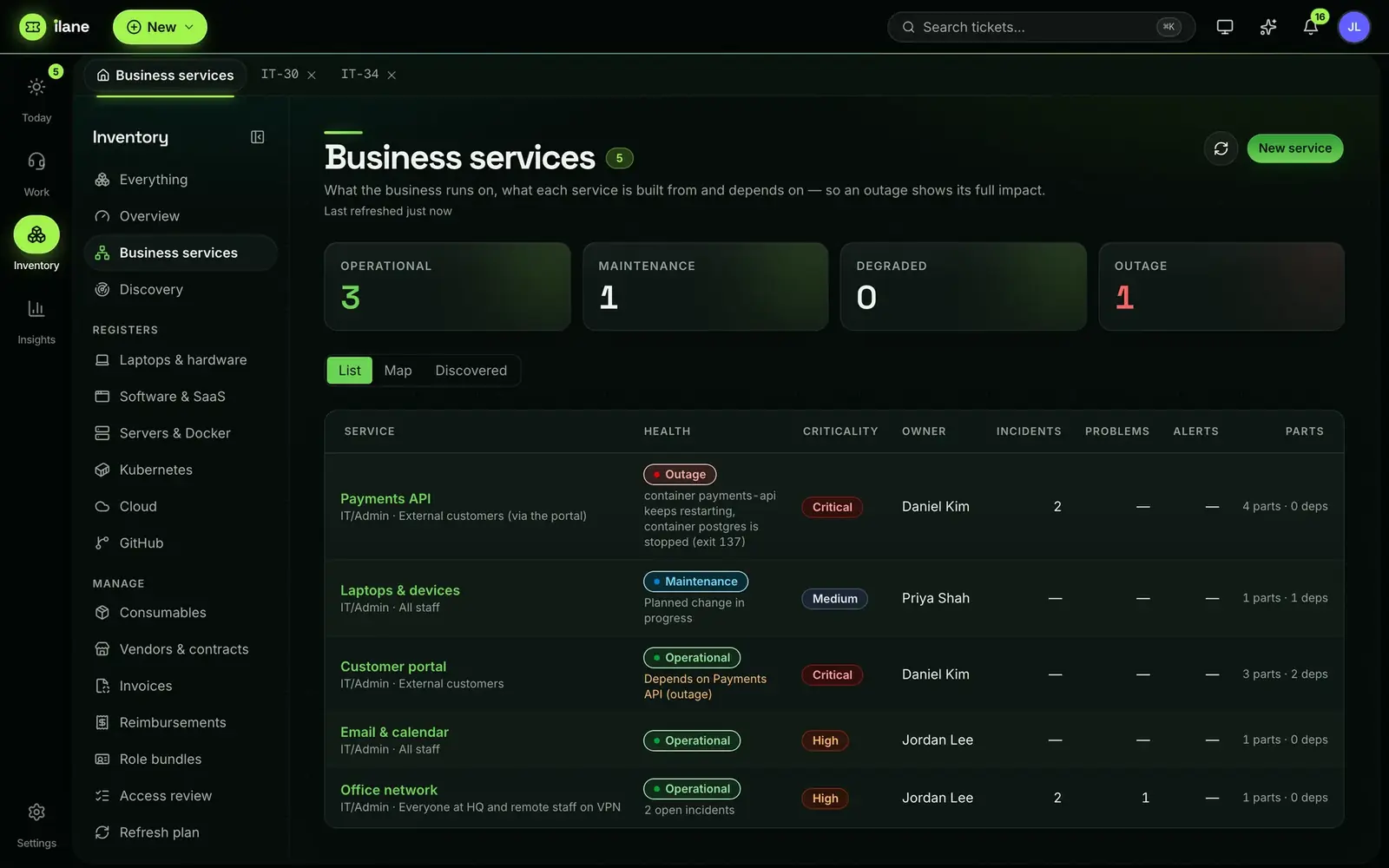
A business service is something your company relies on: the website, payments, the customer app, email. Give it an owner, say how critical it is and who uses it, then link the servers, containers, cloud resources, repos and software it runs on. Use the discovered map to spot what you haven’t mapped yet.
- A failing part marks its service degraded or down
- Services that depend on it show it too
- Tickets show the services and people affected
- Problems and changes link to the services they touch
Business services · Acme
What the map finds
The problems hiding
between your systems.
Routes that go nowhere.
ilane compares what your proxies and tunnels route with what is actually running. Dead routes, leftover config and certificates that stopped renewing become tickets with the server attached.
- Routes to containers that aren’t there
- Certificates close to expiry
- Admin tools open to the internet
Routing · payments-01
Single points of failure.
When several apps lean on one database, or a public domain has nobody watching it, ilane says so before an outage makes it obvious.
- Shared databases and what depends on them
- Public domains with no uptime check
- Parts not yet in any business service
Dependencies · Acme
Links that go quiet, or get loud.
Switch on traffic and each link gets a level (High, Medium, Low or None), measured by server agents, cloud flow logs or cloud metrics. Sudden changes become tickets.
- Two services that stopped talking
- Unusual data leaving your network
- Allowed paths nothing uses
Traffic · last 7 days
Questions
Before you switch a source on.
What does service discovery need?
The ilane agent on your servers for connections and proxy routes, and the read-only cloud, Kubernetes and code repository connections you may already have for the rest. Nothing new to install on laptops.
Does it watch laptop traffic?
No. Connections are read on servers only, never on laptops.
Is anything collected by default?
No. Every source is off until an admin switches it on, and switching one off deletes what it found.
How is this different from a CMDB?
The discovered map is what ilane actually sees running. Business services are what you decide matters. You link one to the other, and the map shows what your records are missing.
Do we have to map everything first?
No. Start with your most critical service. The map shows the parts that aren’t in a service yet, so you can add them when you’re ready.
30 minutes, live
Switch on one source.
Watch the map draw itself.
We’ll connect a server, turn on discovery, and trace one of your websites to everything it relies on, then map it to a business service.